
A dinner delivery service designed for busy people seeking home-style meals without the hassle of cooking
Project Overview
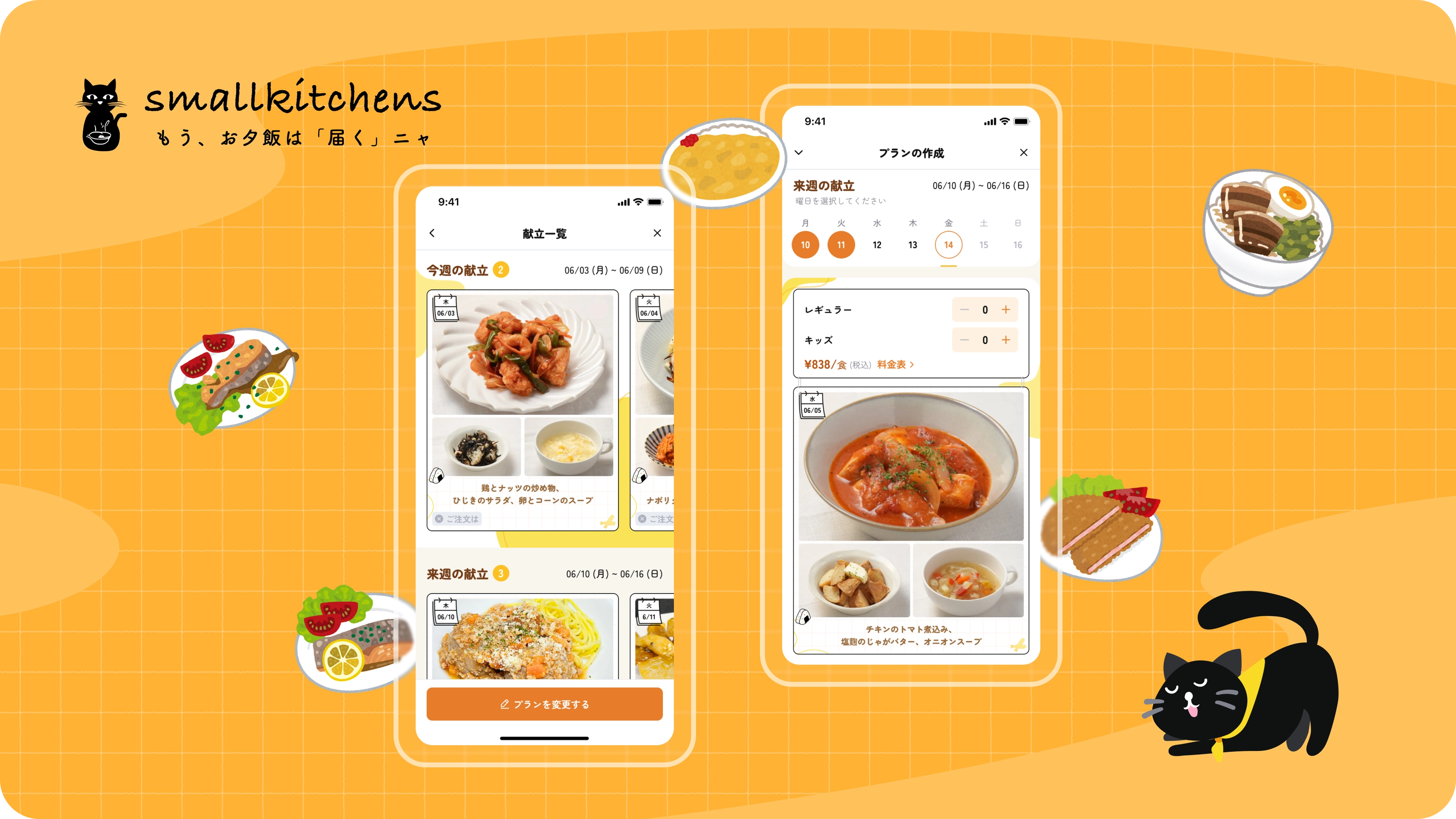
Gifukuru (aka smallkitchens) is a dinner delivery service designed for people who want to enjoy home-style meals without the time or effort of cooking. Perfect for those with busy schedules, this service provides a convenient home-meal replacement option, especially for individuals who don't have enough time to prepare dinner themselves. The service is committed to daily freshness, customers can enjoy delicious, well-balanced meals that are prepared with quality ingredients and delivered right to their door. Every meal is crafted to offer not just nourishment, but also a moment of comfort and relaxation, bringing the warmth of a home-cooked dinner everyday life.
Project type
Web app - Mobile first
Industry
E-commerce, Food & Beverage
Time
03/2024 - 01/2025
My role
UX/UI Designer, Researcher
Team
1 BA, 1 PO, 1 designers, 6 engineers
Skills
Figma, Prototype, Illustrator
Discover
Challenge
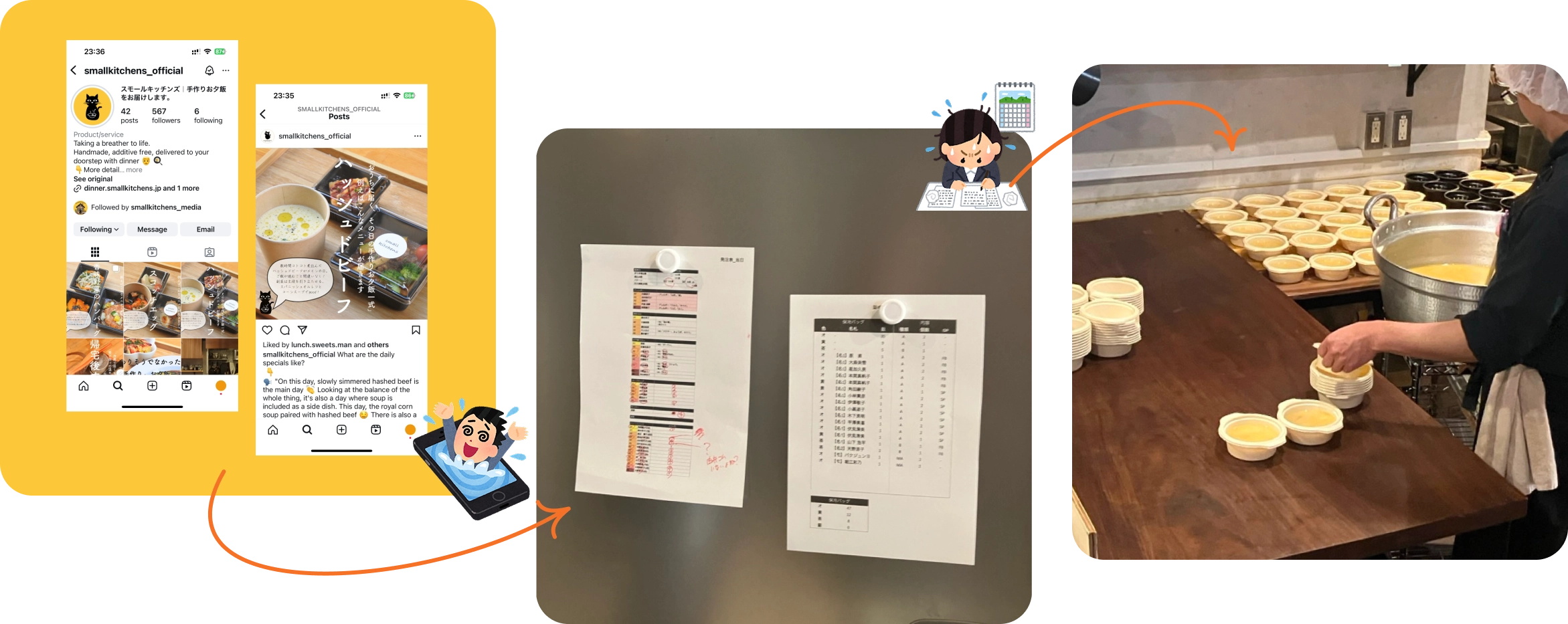
Despite having an engaged customer base on social direct messages, Gifukuru faces scalability challenges due to the lack of streamlined order management system. Orders are currently received through social media messages, combined with manual management systems, causing inconvenience for both businesses and customers. → This manual and fragmented approach has led to missed sales opportunities and limits their ability to expand into new markets.
Our Goal
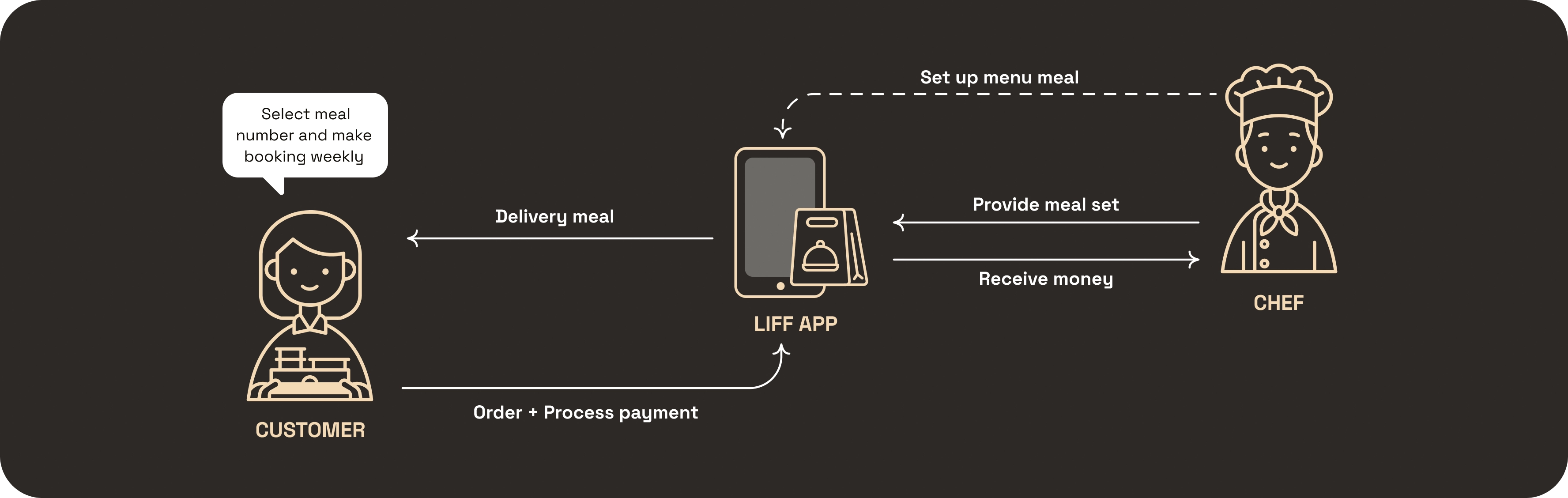
To address these challenges, our project goal is to quickly design a MVP for Gifukuru’s web app, enabling them to establish a platform that facilitates reaching more customers and fosters business growth.


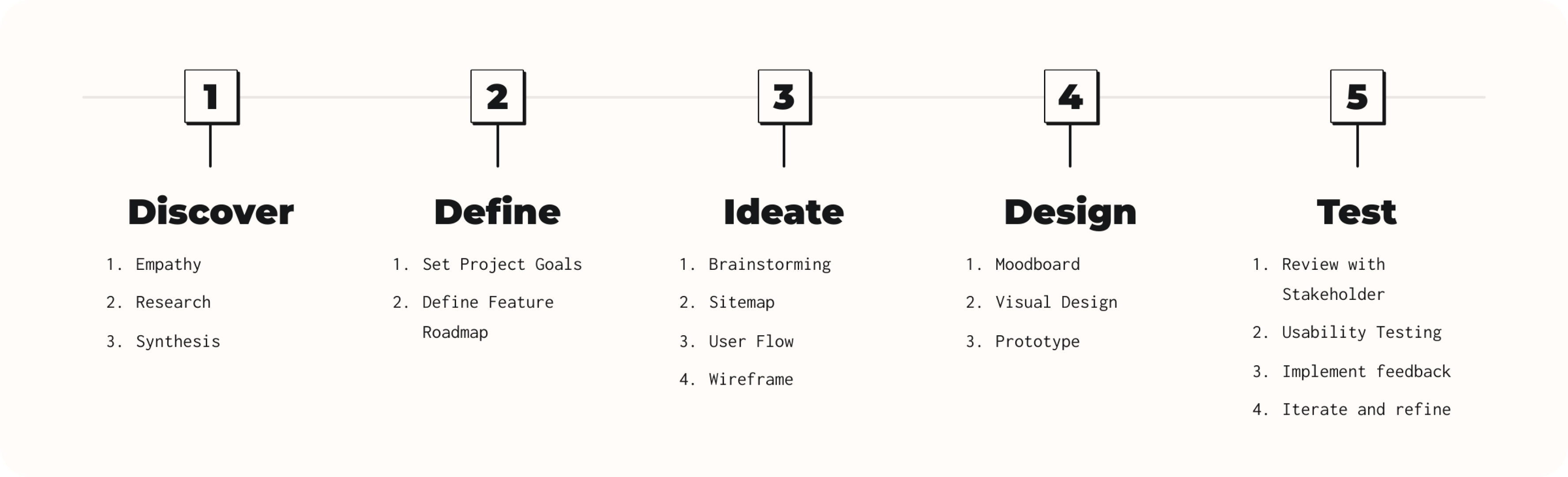
My design process

My Considerations

Maintaining brand consistency
The UI and visual design must align with Gifukuru’s existing branding - particularly the logo & color palette used on social media - to maintain visual consistency

LIFF Compatibility
Design decisions must adhere to technical constraints & capabilities of LIFF (LINE Front-end Framework), as requested by stakeholders, to ensure seamless integration with LINE app ecosystem

Work with a design-savvy Founder
The brand founder's passion for design is a valuable asset, balancing their creative input with project timelines demands thoughtful planning and communication.
→ Craft a friendly design for all type users,
The UI must strike a balance between aesthetic & functionality, ensuring that novice users can navigate processes like payment card or spot order management without frustration

Research
My methodologies:

1. COMPETITIVE ANALYSIS
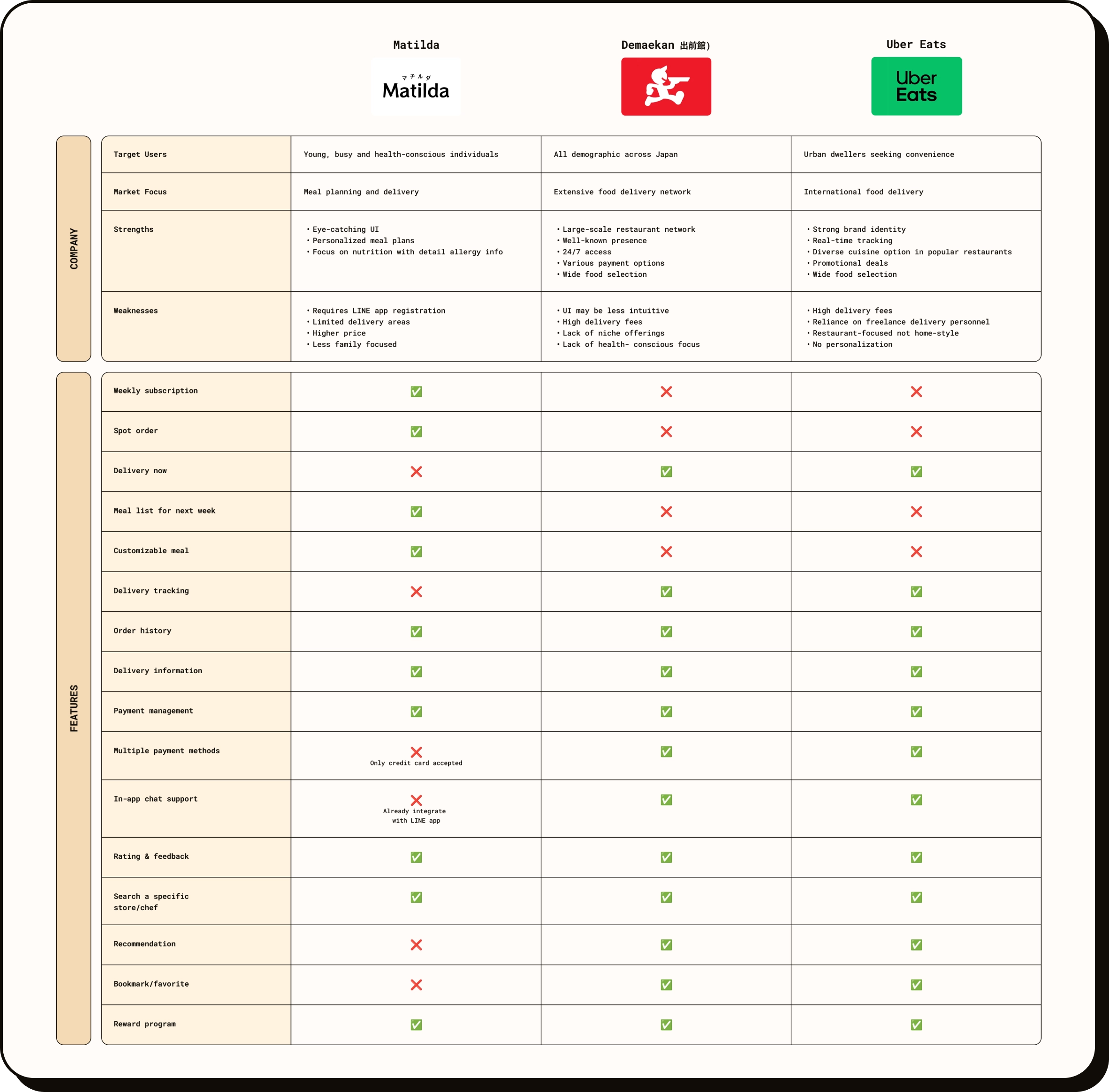
To get started, I research market trends and user needs. This involved a competitive analysis of 3 different food delivery apps, which revealed a spectrum of features designed to meet varying user demands.
2. In depth interview
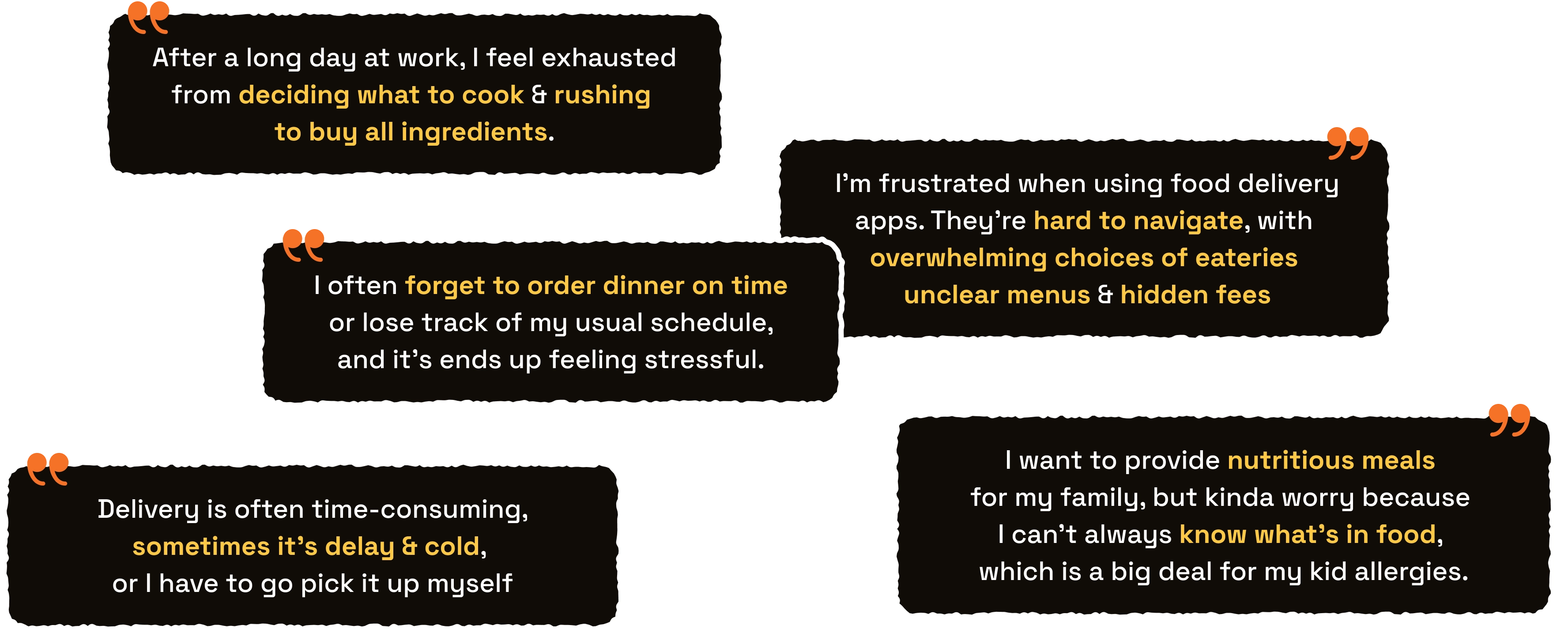
Then, I put together a question list for my Japanese BA to use during user interviews. We conducted interviews with 5 individuals from target audiences, aged 20-45 who had busy work and lifestyles. We sought a variety of motivations from users, including single, modern families, working parents juggling jobs and kids
Key question:
Insight findings
The interviews revealed:
Synthesis
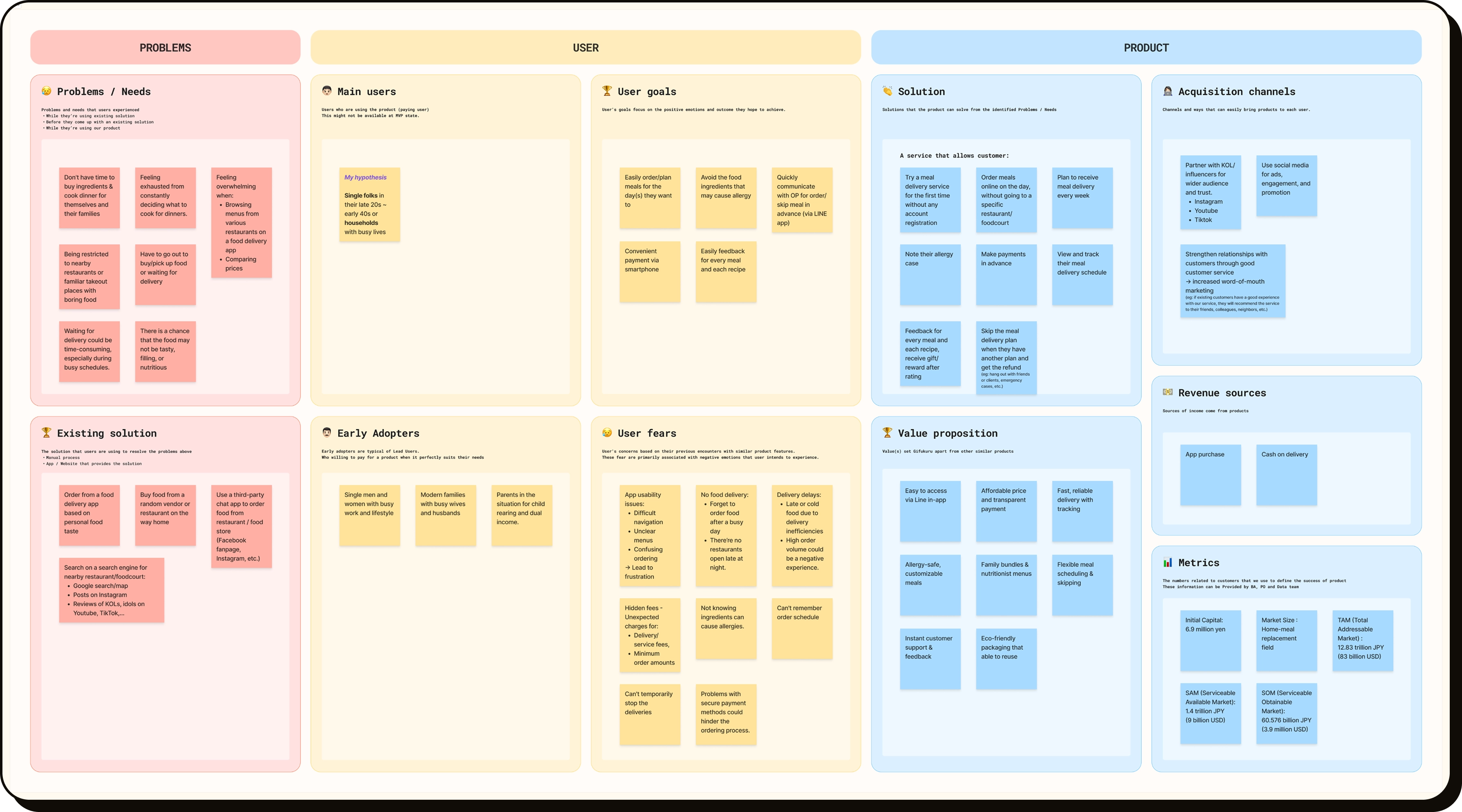
Through stakeholder alignment, we mapped out pain points, grouped related data into the User-centered business canvas (UCBC). This chunking method facilitates side-by-side comparison of different user needs and project business aspects, ultimately aligning team and vision for better decision-making.
With these insights, I wondered...
How can we make the order - checkout process seamless, intuitive, and visually engaging in the MVP to reduce user mental load and encourage purchases?

Define
Prioritisation
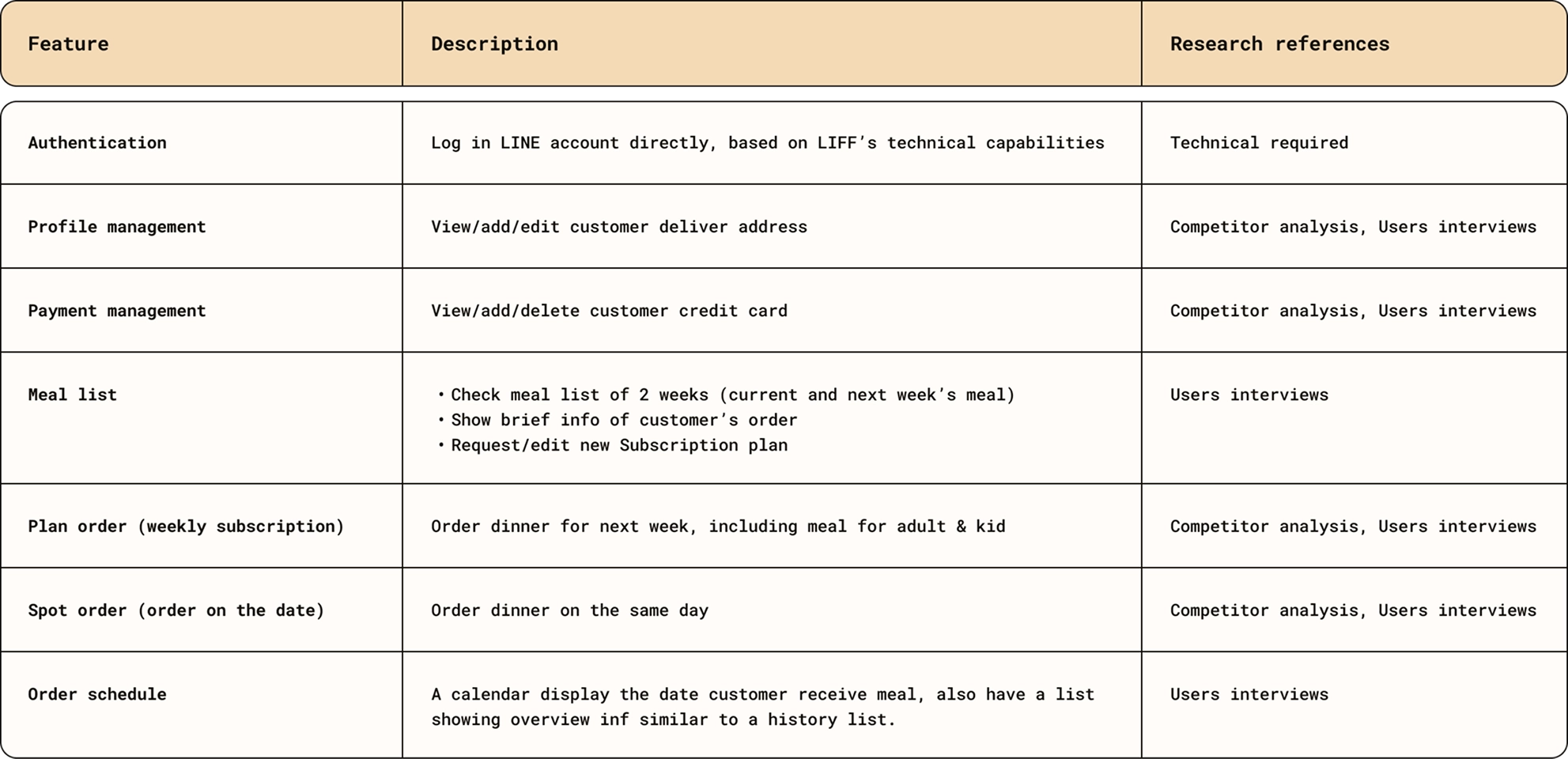
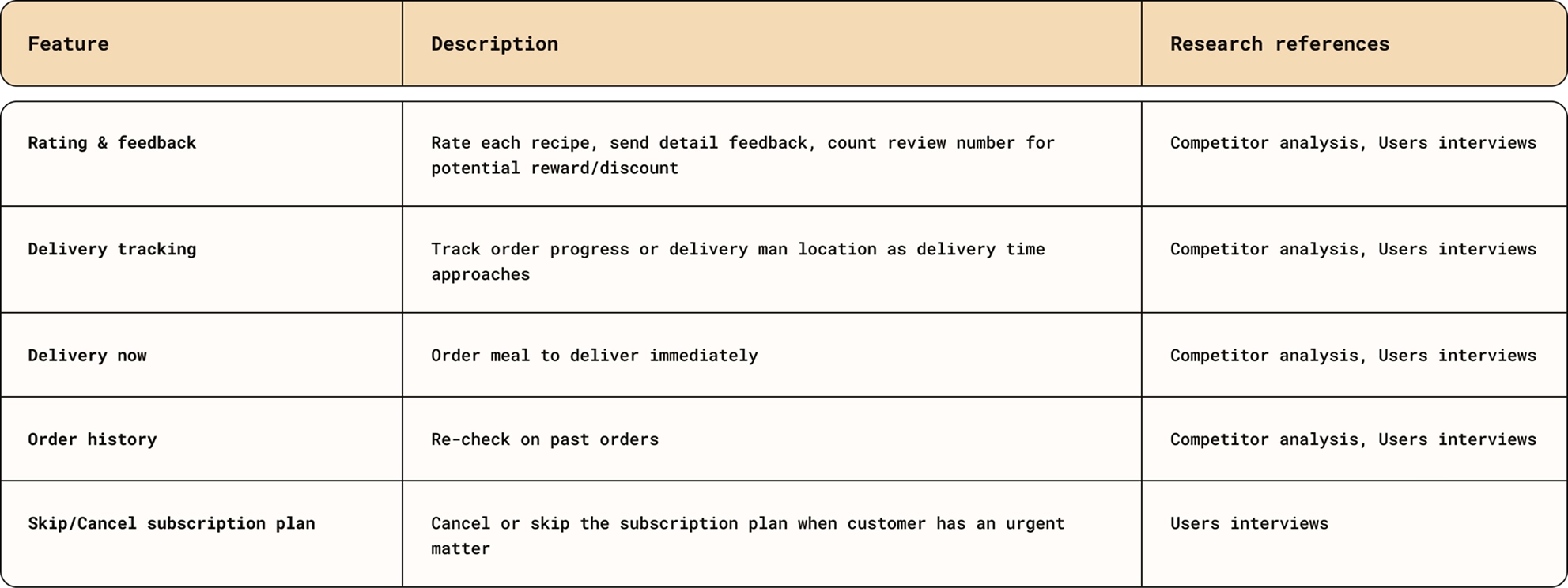
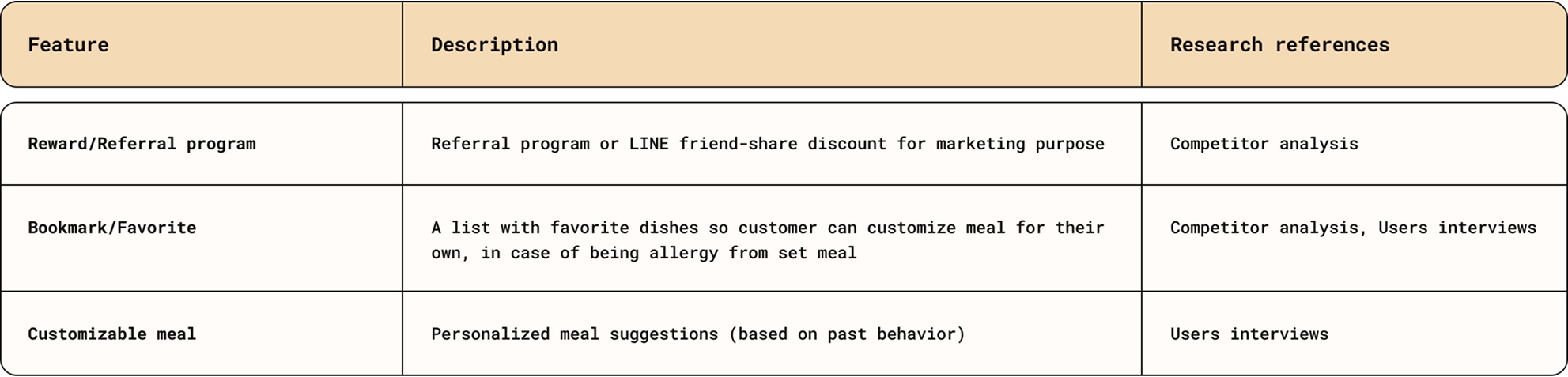
My realization was that we had to reduce scope to deliver just enough features for the MVP, with a clear roadmap for future development.
High-priority (Must-have for MVP)

Medium-priority (V2 or post-MVP)
Low-priority (Future exploration)
Ideate
Sitemap
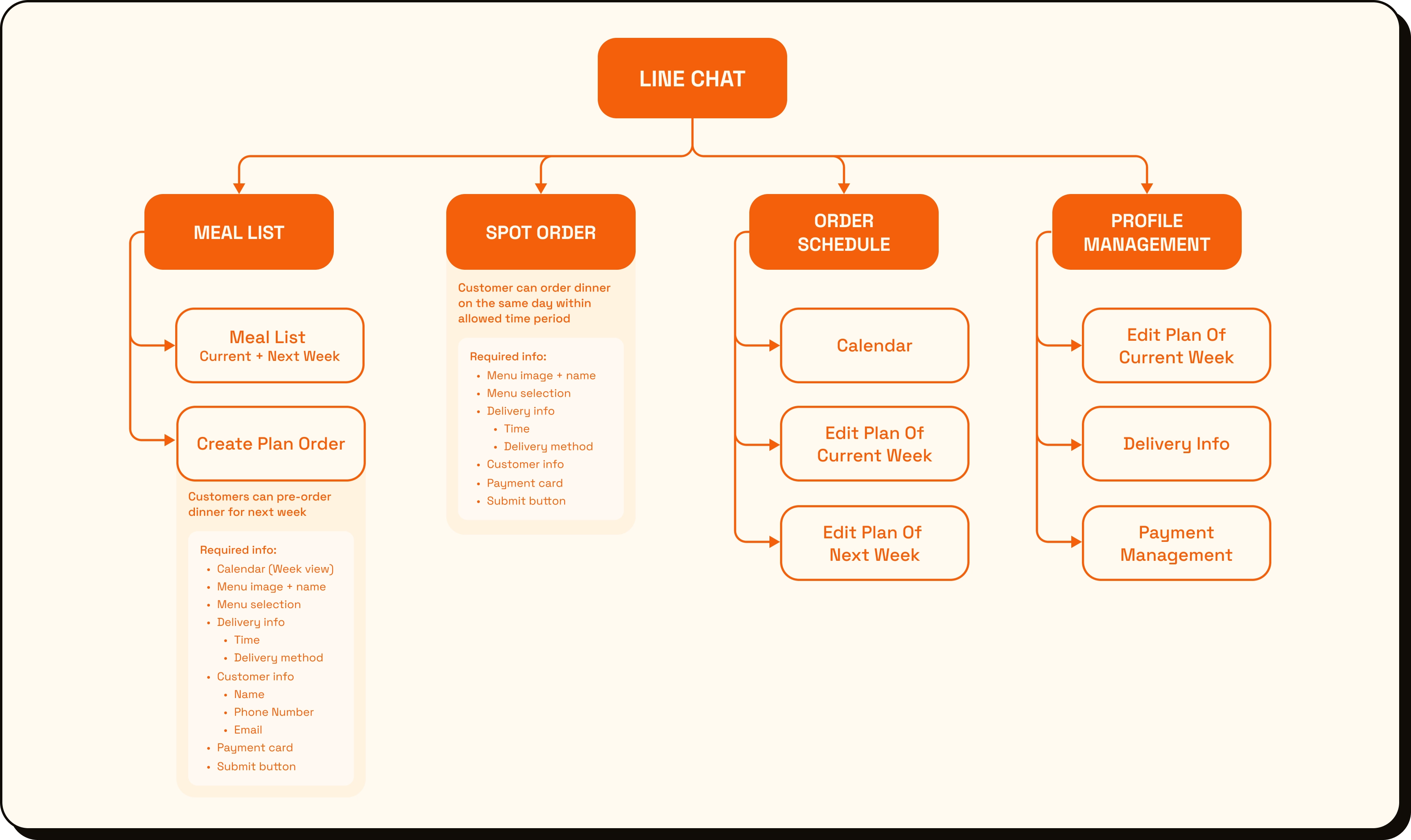
From those insights, I drafted a sitemap to ensures Gifukuru includes all essential features for an MVP while leaving room for future growth.
User flow
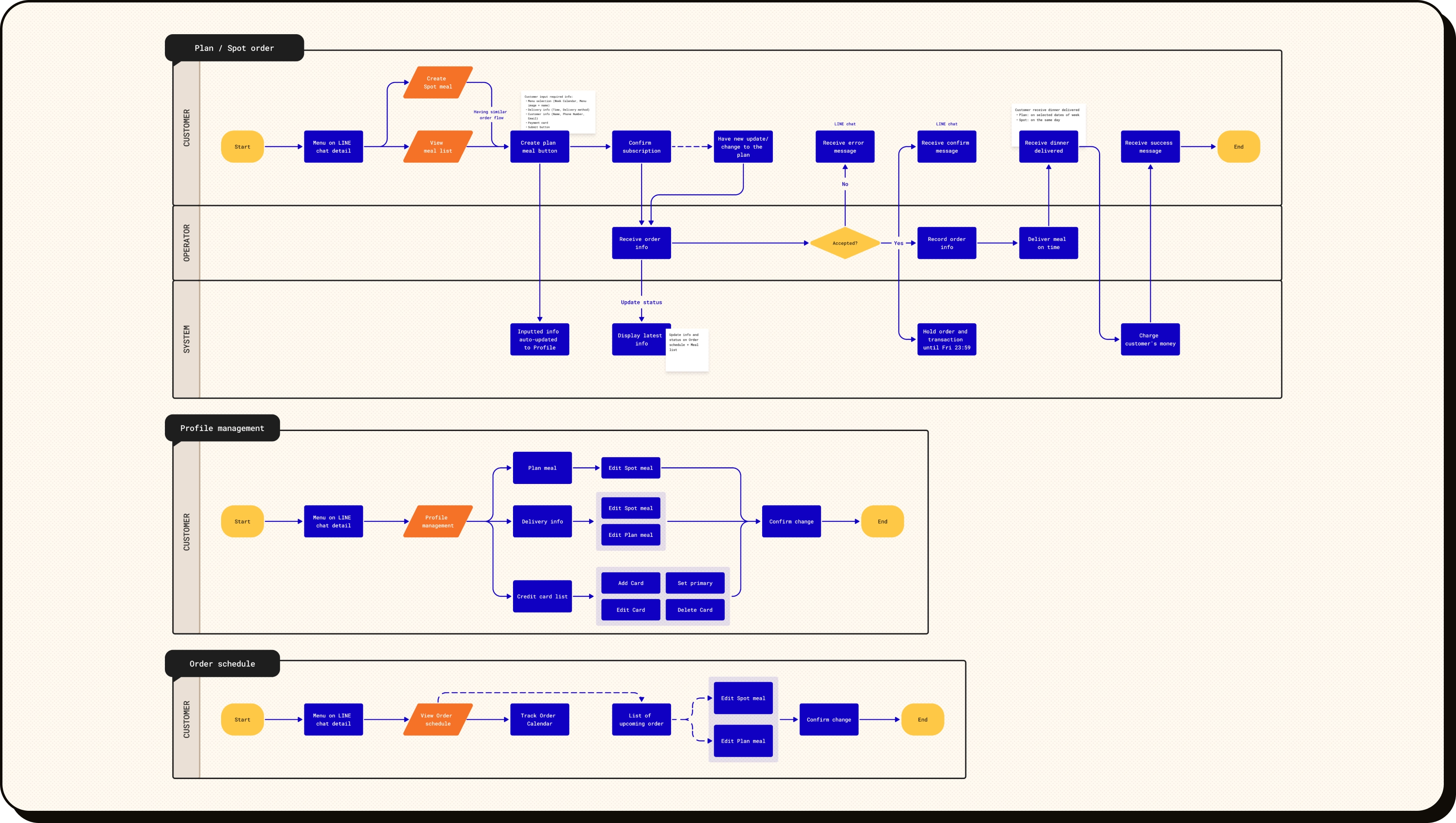
Next, I mapped out user flow to visualize how users navigate processes. This allowed me to streamline each step and ensure a smooth, goal-oriented experience throughout the app.
Mid-Fidelity Wireframes
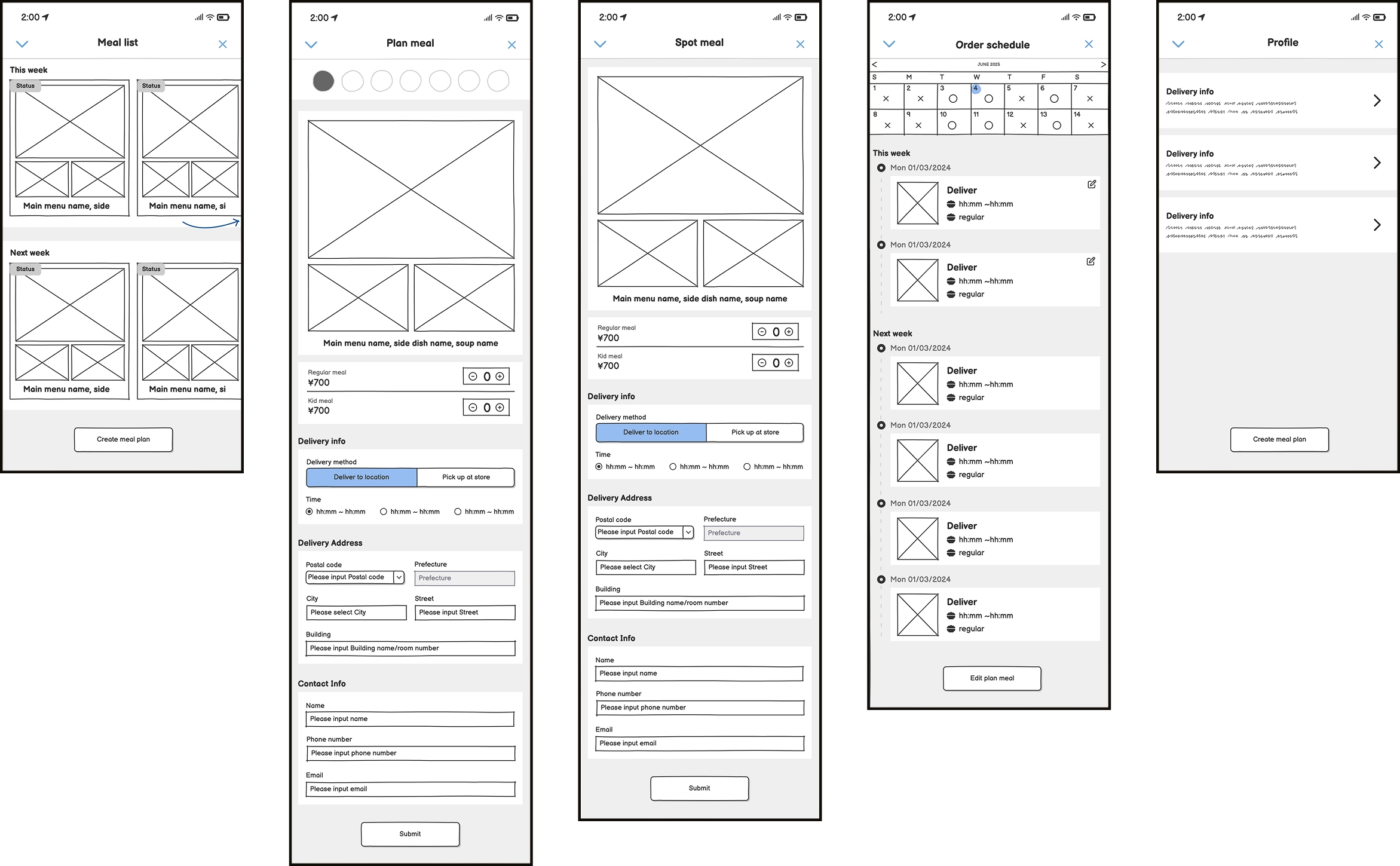
I sketched key screens of 4 main menus to support stakeholders in visualizing essential functionality.
Design
MoodBoard
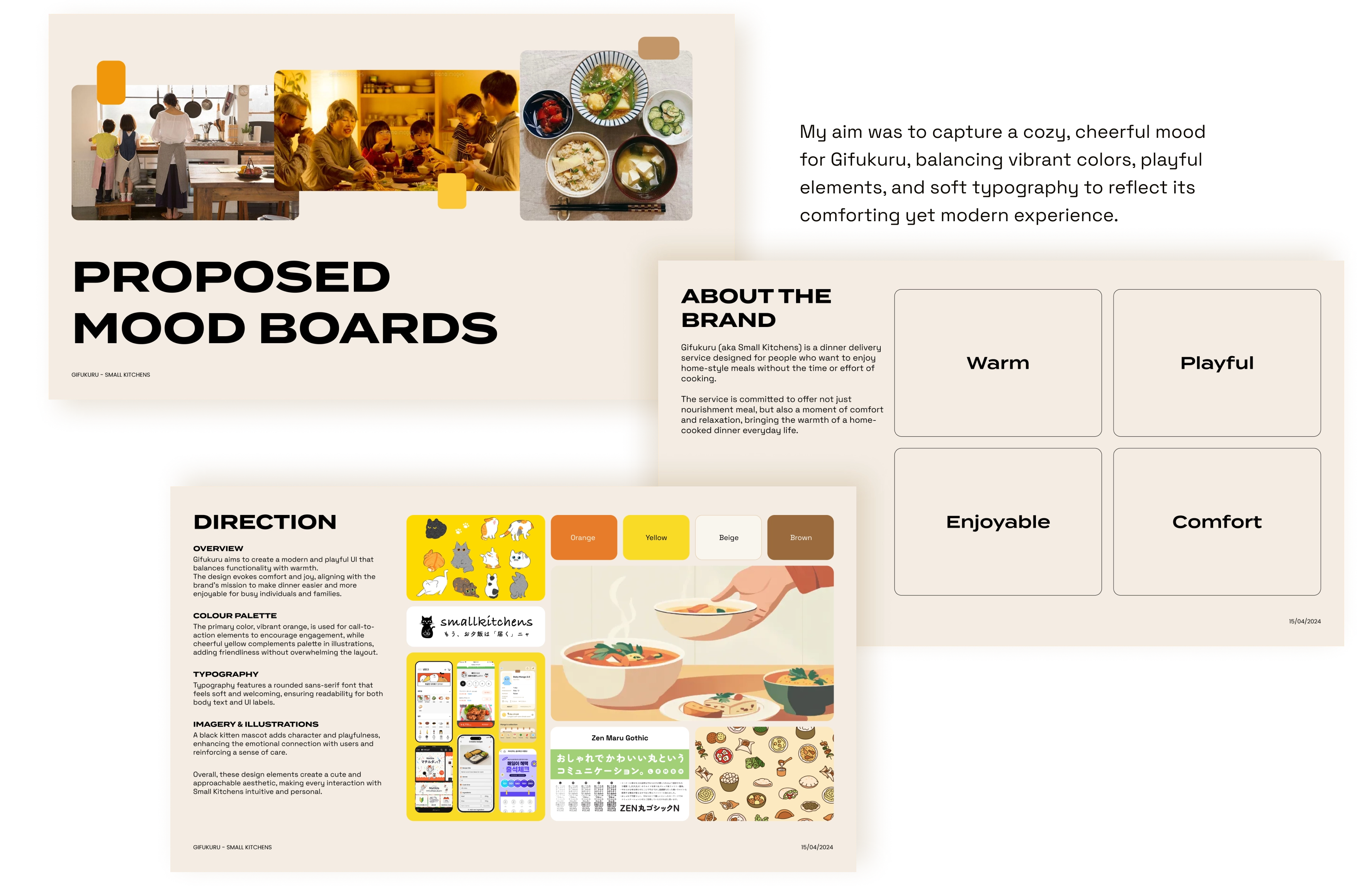
Inspired by the warmth & joy that comes from home-cooked meals, I delved into several food delivery apps and family-oriented services.
UI guideline
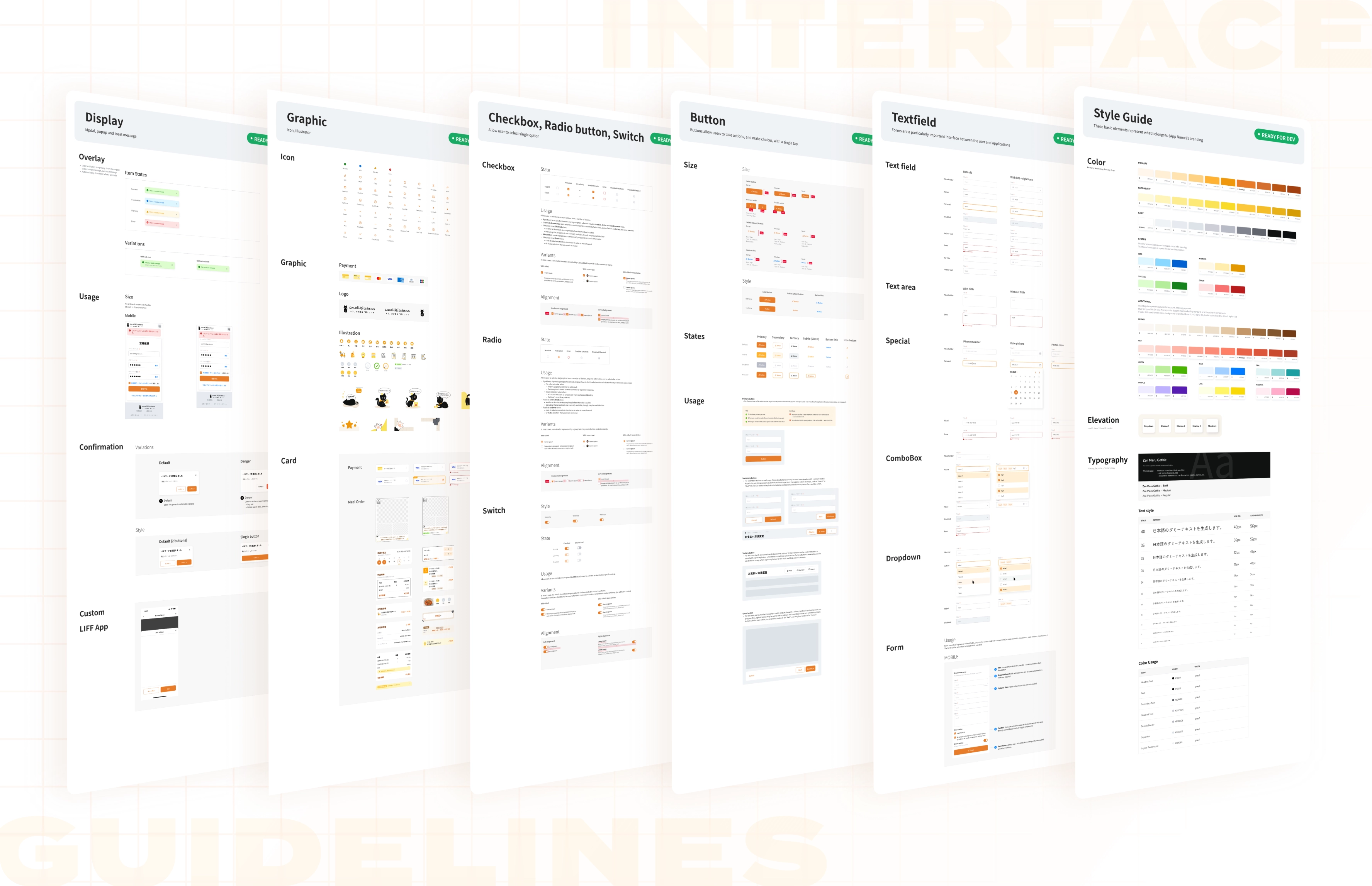
UI Guideline outlines the visual - interaction rules for Gifukuru's interface: components, states, spacing, and behavior. It ensures consistency across screens, speeds up development, and helps maintain a clean, intuitive experience that product evolves.
Final Design
I drafted UI design from an initial mood board. Through user testing and stakeholder discussion, I integrate all feedback to refine final designs
Plan order is a core feature to empower customers to create & manage their meal orders for next week. From browsing weekly menu of the next seven-days; checking allergy detail, choosing quantity; to adjusting their delivery schedules, this journey ensures a seamless, stress-free & intuitive experience

Upon successful plan creation, plan order will be saved in system Customer will receive a confirmation email & message from LIFF (LINE) The system will hold moneys immediately & complete 3D Secure process (OTP verification). However, it’ll only generates orders and officially charge at 00:00 every Friday,

Spot Order
Customers can create one-time meal orders for current day, distinct from planning to a recurring meal package for future week. Upon successful payment verification, spot order will be created and saved in system. Customers will receive a confirmation notification via email and LINE app.

Once customer completes order, it will automatically update to meal list. This allows them to easily track status, number of meals ordered or expected for each day across both the current and upcoming weeks, regardless of whether they're from a Plan order or a Spot order.

Schedule
Customer can easily track & manage orders, letting them know exactly which days they'll receive dinner deliveries.
The screen is divided into 2 main sections:
- Calendar: uses symbols to indicate delivery days:
 Today
 Next day
 Passed day
 Has meal order
 No meal order
 No-service date
- Order list: display all created orders (including both Plan and Spot) of current week & upcoming week


Profile
Customers can effectively manage order schedules, payment information and delivery address details
On Profile management screen, there're 3 main menus:
- Order plan setting directs customers to either the plan creation flow if no plan exists, or the plan editing flow if they already have one.
- Payment setting allows customers to manage their registered credit cards. They can add new, view or delete existing cards (if they are not linked to any active orders).
- Delivery address enables customers to view, add, and edit their default delivery address information.

Feedback
Customers can review & provide feedback on each meal received, while also tracking their submission count.
- Once an order's status updates to “Delivered" customers will receive a system message via LINE.
- From this message, if feedback hasn't been submitted and the time limit permits, the feedback screen will open.
- Customers can submit their feedback within one week (7 days) from the order date.


Impact
Take a look at the results!
Target users complete all task flows within proposed timeframe
Improved brand engagement
- Increased plan and spot order volume
- Higher customer retention
- Increased customer service quleftContentality
- Enhanced competitive edge
- Strengthens scalability & future growth potential.
Number of new app registrants in the 1st week of app launch
Number of total orders
Lesson learned
Flexibility is key
A last-minute feature change delayed development, but it helped us rethink and reprioritize the MVP based on real needs.
Stakeholder alignment matters
The founder’s strong design passion was valuable but required me to have active communication and collaboration to balance creativity with technical and timeline constraints.
Know your platform
Designing within the limitations of LIFF (LINE Front-end Framework) taught me to be precise and adaptive with solutions.
Documentation accelerates delivery
A well-built style guide with clear components and usage guidelines empowers developers to work independently and speedily on tasks that don't require design input due to budget constraints.